Gestrics
GestricsDesktop CRM for Freelance Translators

From the first email to the invoice being paid

Gestrics is the desktop program where a freelance translator keeps their clients, their jobs, their invoices and their payments. It installs on your computer and stays there — no central server, no cloud account, no subscription.

€150, one time · 14-day free trial, no card · no subscription

v1.1.2 · Windows 10/11 · macOS (Apple Silicon and Intel) · Changelog

Neither installer is signed yet, so both systems stop you the first time. Windows: More info → Run anyway. macOS: when it refuses to open, go to System Settings → Privacy & Security and click Open anyway.
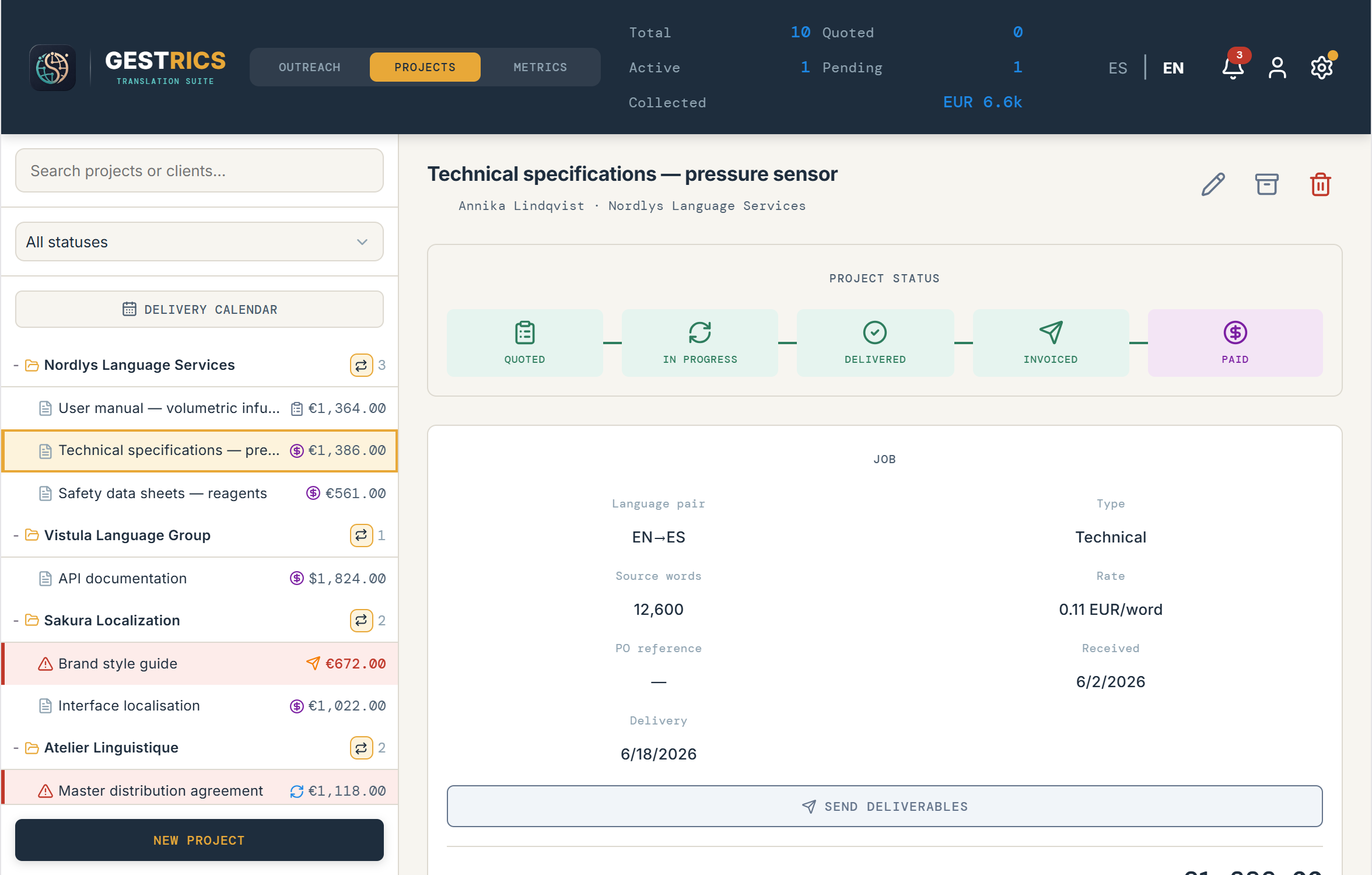
The Gestrics project view, with a project's assignment, invoice and notes.

What a job looks like, start to finish

01 · Outreach

Chase clients without losing the thread

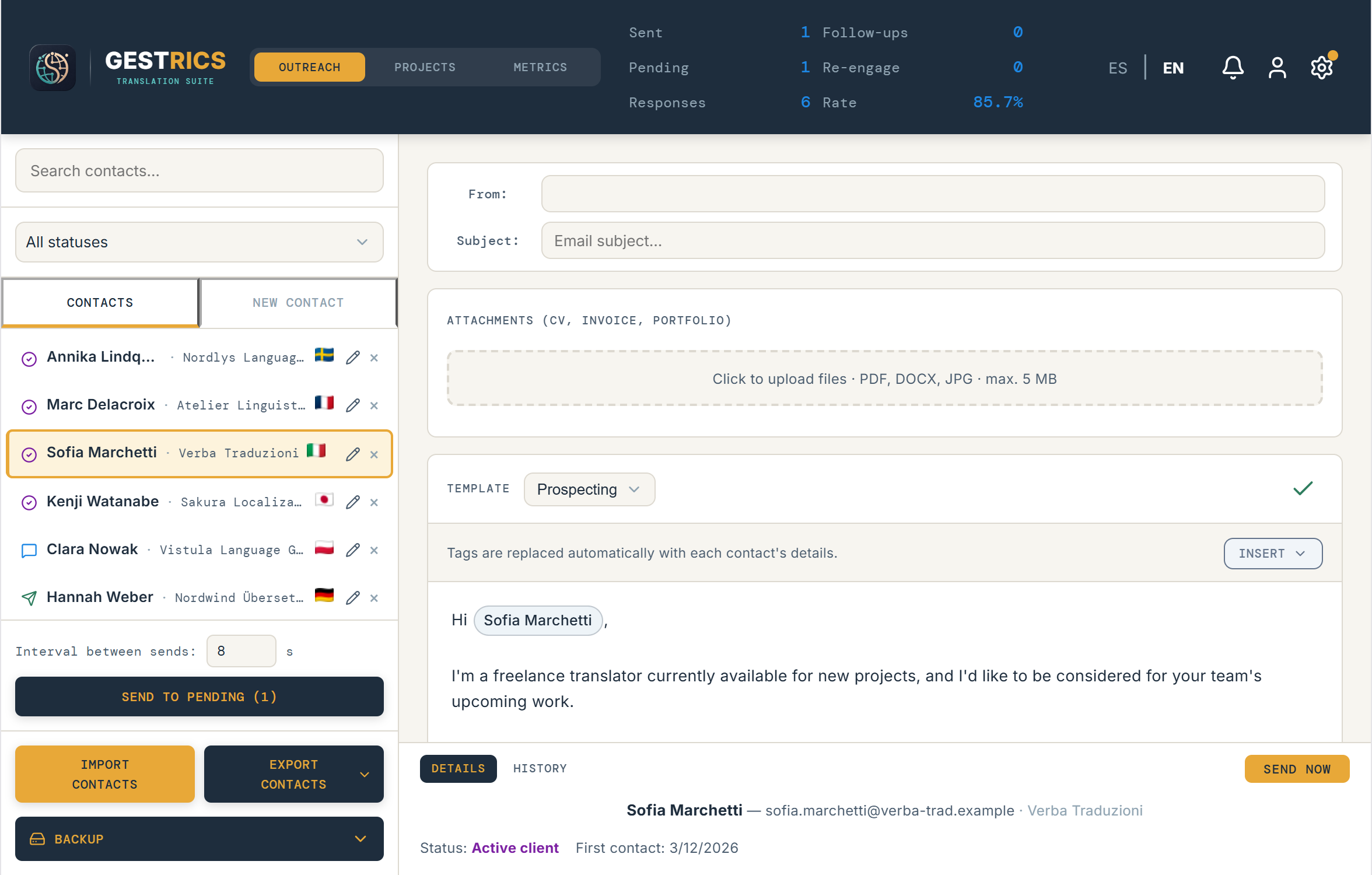
  • Contacts with a status, a full history and follow-up reminders.
  • Email templates with variables, edited and previewed on one screen.
  • Batch sending with your own daily cap, so you don't burn your mailbox.
  • Mail leaves your account over SMTP — the client sees your address, not a middleman's.
The outreach tab: contact list, statuses and the email composer.
02 · The job

The assignment, with everything it carries

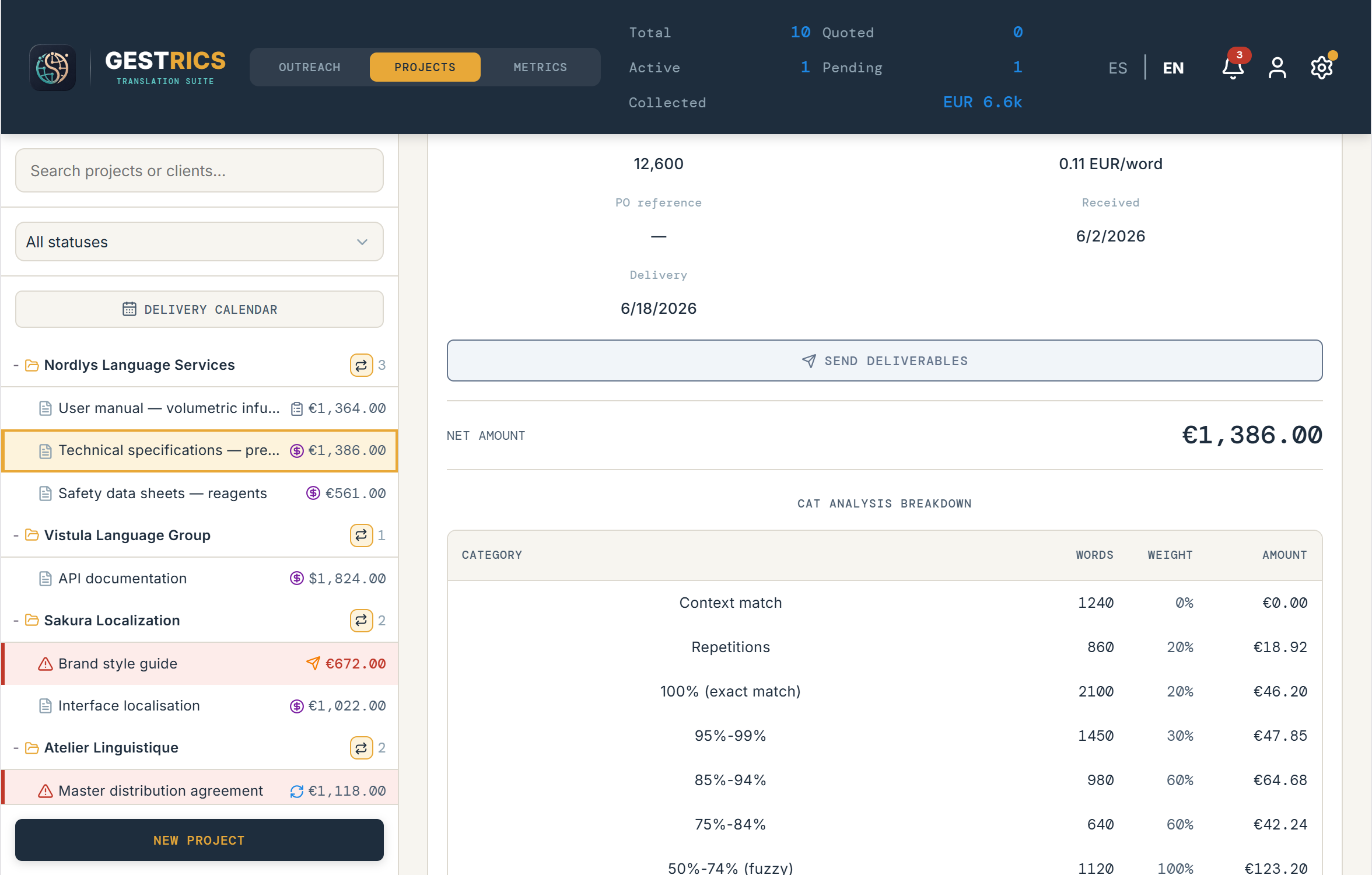
  • Language pair, source word count and rate — or hours, for work billed by time.
  • Import the analysis from Trados, memoQ or Wordfast and price each match band.
  • Deliverables attached to the job, sent from the job itself.
  • A glossary per client, shared across every project you do for them.
A project card showing the assignment, CAT breakdown and glossary.
03 · The invoice

An invoice that knows where you're billing from

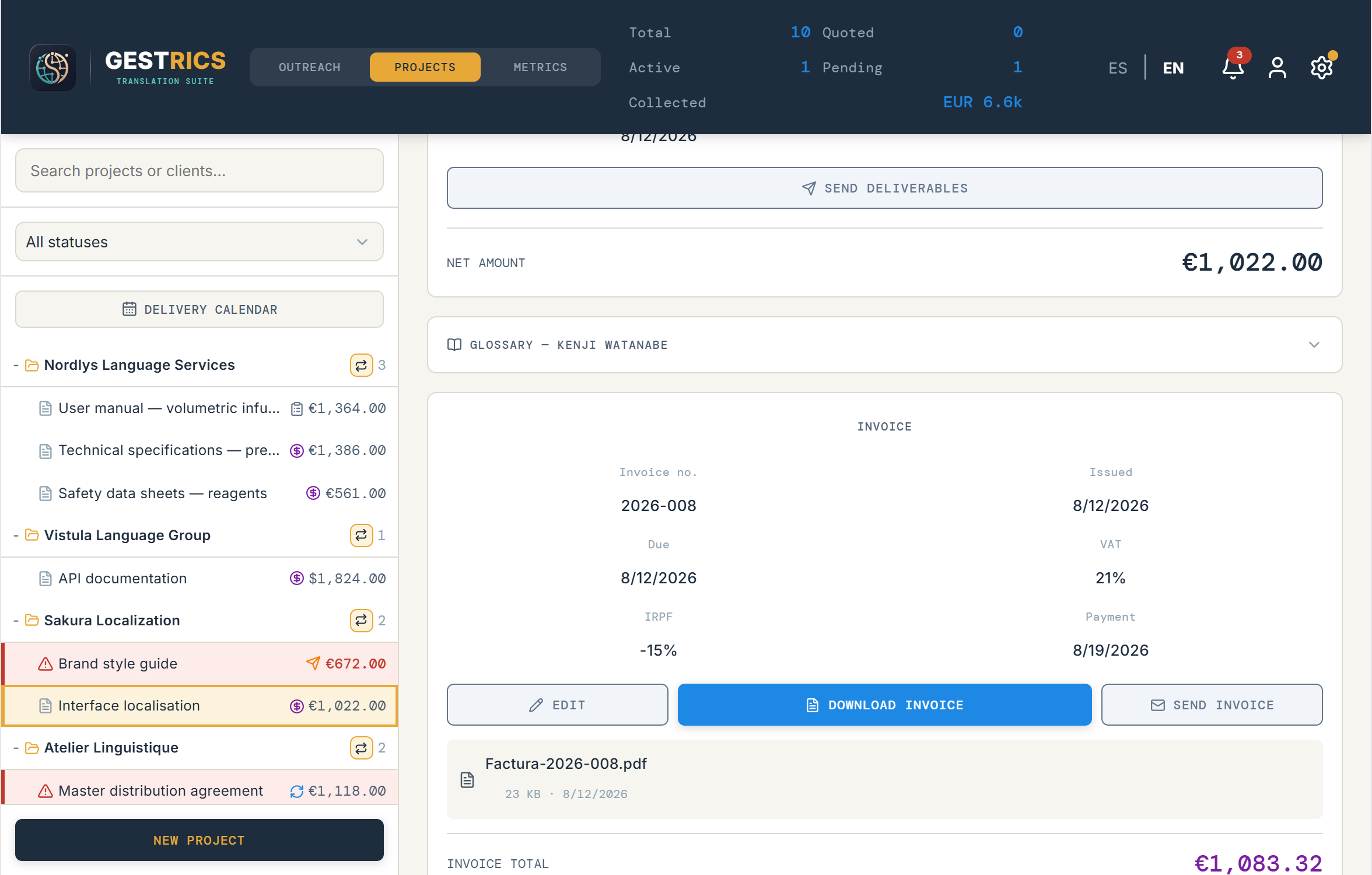
  • VAT and withholding under the name they actually have where you invoice — IRPF in Spain, ISR in Mexico.
  • 75 countries with their own tax profile, each with its own identifier and wording.
  • In Spain, an invoice ledger where each entry is chained by hash to the one before it, and corrective invoices on their own series.
  • Its own PDF, ready to send by email from the same screen.
  • And it warns you when your country requires the invoice to be filed with the tax authority: already the case in twelve of the countries it checks, and in Spain from July 2027 under Veri*Factu.
The invoice card with its PDF, VAT and withholding lines.
04 · Getting paid

Get paid, and know how it is going

  • A Stripe payment link inside the invoice itself.
  • Staged reminders that follow how late the payment is.
  • Recurring billing for retainer clients — always confirmed by you, never issued behind your back.
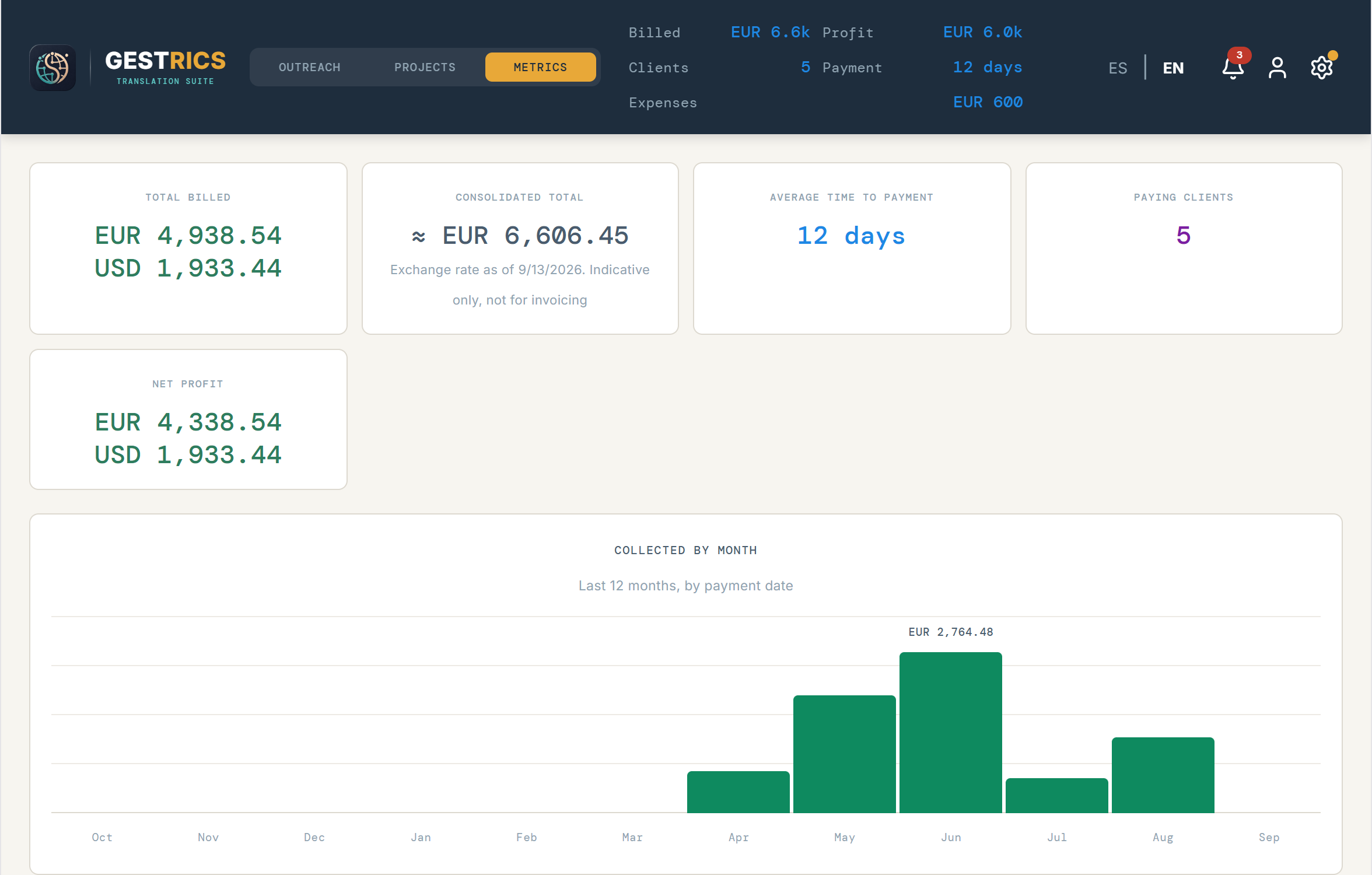
  • Metrics: collected per month and per client, average rate, average days to payment.
The metrics tab with the collected-per-month and per-client charts.

What comes in the box

  • 75 tax profilesEach country's own identifier, VAT and withholding names.
  • Invoice ledgerHash-chained, for Spain, with corrective invoices on their own series.
  • QuotesA PDF in the same shape as the invoice, valid for 30 days, with room to sign.
  • CAT analysisImport from Trados, memoQ and Wordfast; price per match band.
  • Client glossaryTerms shared across every project for that client.
  • Recurring billingMonthly retainers, generated only on your confirmation.
  • Stripe payment linksGenerated from the invoice, sent with it.
  • Expenses and bookkeepingTen categories, and two CSVs — invoices and expenses — ready for your accountant.
  • Time trackingA running timer, or hours entered by hand.
  • Delivery calendarThe whole month, each job on its date, colour-coded by status.
  • Full backupsOne file with everything, restored from the app.
  • Contacts in and outCSV, TSV, Excel and ODS.
  • Two languagesThe whole interface in English and Spanish.
14 days free · no card
€150
After the trial · One-time payment · Up to 2 devices · Your country's tax added at checkout

Questions, or something broken? Write to contact@outreachstudio.app — it reaches the person who builds Gestrics, not a queue.

The trial runs for 14 days with every feature unlocked, and asks for no card. After that, using Gestrics requires a license, activated inside the app. It is a one-time payment, not a subscription: no renewal, nothing to cancel. When you buy, the key reaches your email in under a minute — you paste it into Gestrics and that is it.

Neither installer carries a developer signature yet, so both systems warn the first time. On Windows you get "Windows protected your PC": click More info, then Run anyway. On macOS the block is firmer and the app simply will not open: go to System Settings → Privacy & Security, find Gestrics near the bottom and click Open anyway. Neither warning means the app is unsafe — it means nobody has paid a certificate authority to vouch for it yet.